open source Β· runs on your Cloudflare

A town your AI team works from.

Office Town is a place you go into to get work done. Open Goose in your town and the team's already there β€” @boss routes the work, @librarian files what you learn, @worker builds, @scout watches the world. They remember your work, your people, and your decisions as plain markdown on your own Cloudflare β€” every file openable in Finder, nothing in a black box. Empty your filing cabinet into it and watch it learn your business.

What it feels like to use

A few real interactions you'd have after installing. Each one persists β€” the next session knows what happened in the last.

@librarian
"Extract everything I know about Acme Corp β€” emails I've mentioned them in, projects we've done, the people involved."
Pulls the threads, writes a wiki/orgs/acme-corp/entity.md with the people linked to wiki/contacts/, projects linked to wiki/projects/, and an engagement trace of every interaction it found. Future you can just ask "what's the status with Acme?" and it knows.
@boss
"I need to follow up with everyone who got a quote in the last 6 weeks but didn't reply."
Queries the wiki, finds the 12 candidates, drafts personalised follow-up emails. You approve each, it sends via your Cloudflare Email Routing. Schedules a 2-week cron to chase any that still haven't replied.
@worker
"Build a one-page proposal for the Acme job using last month's similar project as a template, then save it as a sharable link."
Reads wiki/projects/last-similar.md, drafts the proposal, generates a PDF, publishes it at /p/acme-proposal-2026-05 on your own domain β€” no third-party uploads.
@scout
"What's new in Cloudflare Workers this month that's relevant to our hosting work?"
Scans the changelog, blog, and the bits you flagged as relevant in wiki/knowledge/cloudflare-watch.md. Writes a 5-bullet summary, files it in your knowledge collection, and offers to email it to the team.

Apps your agent opens β€” or builds

Office Town ships interactive apps that run as windows inside Goose Desktop β€” a task board, a quote-to-cash flow, a mini-CRM, an on-site quoter, a bookings calendar, and more. You click and type directly; they save straight to your cortex. The agent can open one for you, build a brand-new one on request, or share a customer-facing one behind a magic link.

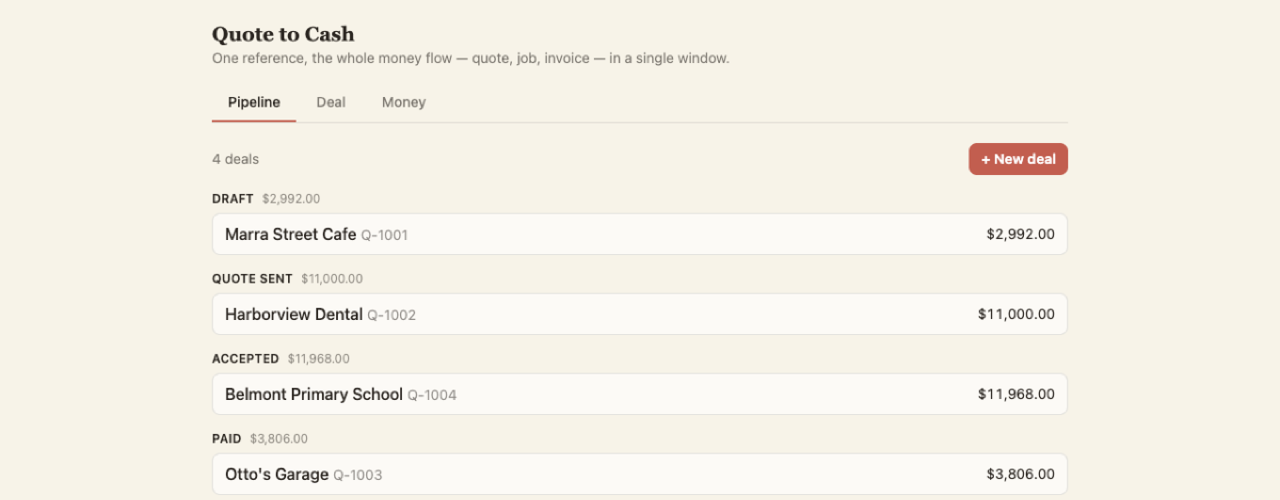
Quote to Cash app β€” a pipeline of deals from draft to paid
Quote to Cash β€” line-item quotes β†’ job β†’ invoice β†’ paid, with a money dashboard. Each deal is a real file in your jobs collection.
Mini-CRM Today view with open pipeline value and follow-ups
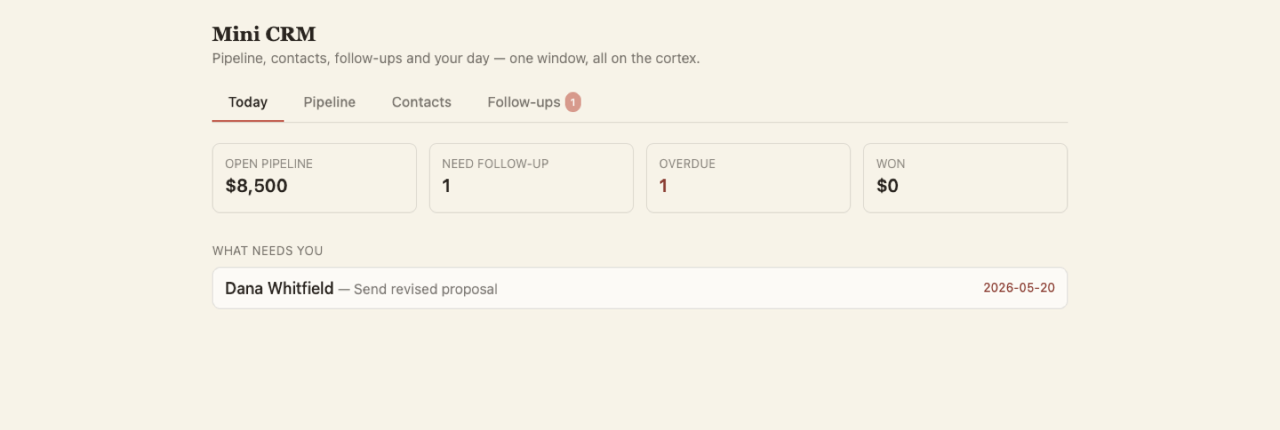
Mini-CRM β€” pipeline, contacts, follow-ups and a β€œwhat needs me today” triage, all a view over your real contacts.
Run sheet app showing today's jobs with tap-to-call
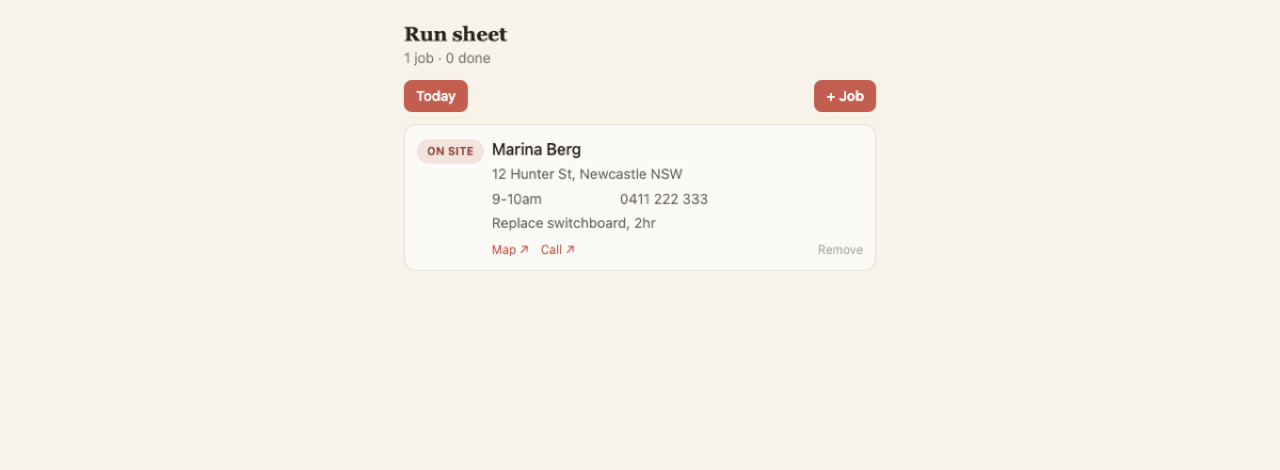
Run sheet β€” today’s jobs, tap-to-call and tap-to-map, a status that cycles To do β†’ On site β†’ Done.
Capabilities app generating an image and dictating by voice
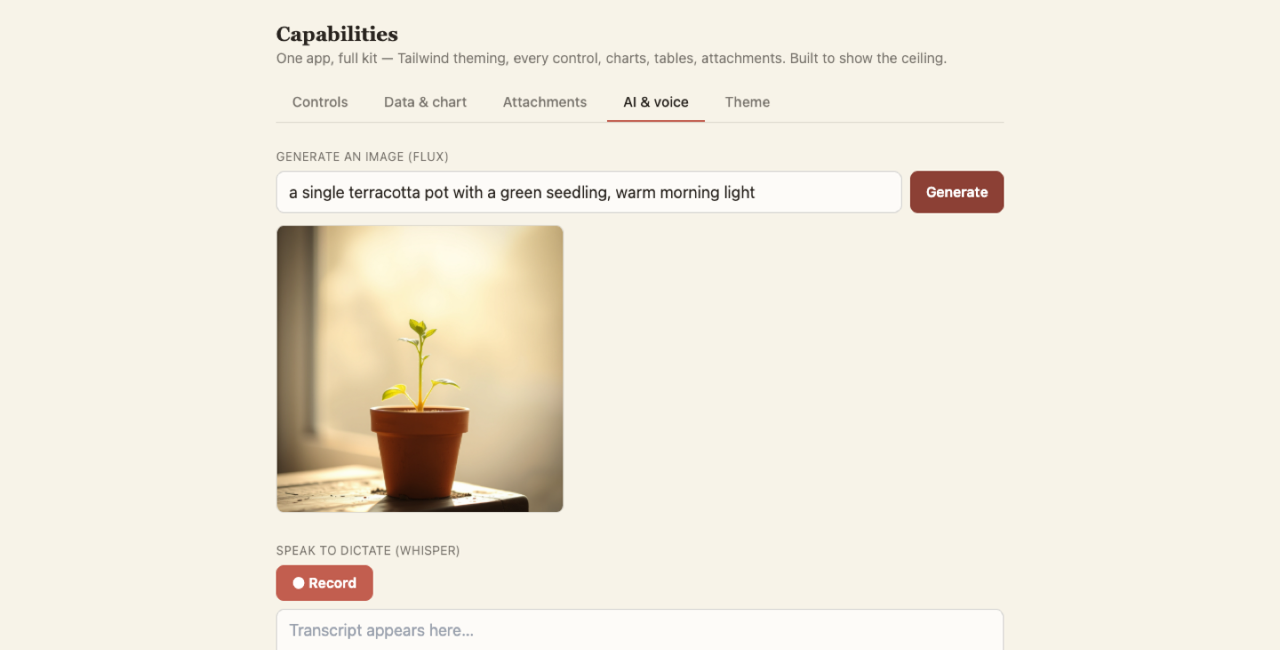
Generative UI β€” apps theme themselves, chart data, take photo uploads, transcribe your voice, even generate images with Workers AI.

Direct manipulation

Click a field, overtype it, it saves. No β€œhey AI, change the phone number.”

Agent-authored

Ask for a tracker or tool and the agent writes a self-contained app and installs it to your Apps page.

Magic-link share

An agent can publish a one-off customer app β€” a feedback form, a quote approval β€” behind a public link that writes straight back to your inbox.

Industry packs

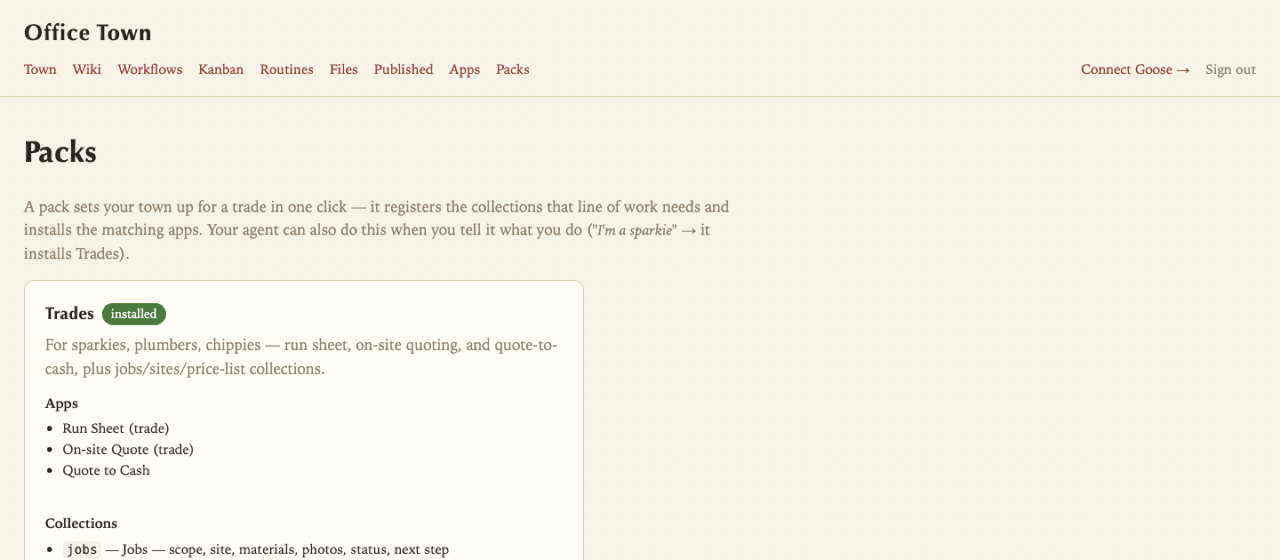
Tell your agent what you do β€” β€œI’m a sparkie” β€” or pick one in the dashboard, and the matching pack sets your town up for that trade in one move: it registers the collections that line of work needs and installs the apps to match.

Packs page in the Office Town dashboard, one-click install
One click registers the collections and installs the apps β€” your agent can do it for you when you describe your business.

Trades

Run sheet, on-site quoting, quote-to-cash, asset register β€” plus jobs, sites, price-list.

Professional services

Compliance deadlines, mini-CRM, request tracker, decision log β€” plus engagements, deadlines.

Creative

Bookings calendar, deliverables tracker, project CRM β€” for studios, photographers, designers.

Web agency

Asset/renewal register, support tickets, deliverables, decision log.

Bookings & services

Calendar, mini-CRM and quoting for any appointment business β€” salons, tutors, allied health.

Install

Two accounts, one button, one paste. Deploy the backend to your own Cloudflare with a single click, then paste one line to wire it into Goose. No API token, no Docker β€” just a card on your Cloudflare account (usage stays free-tier).

0 What you'll need

Need β€” before you start:

  • A Cloudflare account and a GitHub account (sign-ups, not installs) β€” the button puts your own copy of the backend on GitHub and deploys it to your Cloudflare. Can't set those up? Ask whoever looks after your tech to run this once β€” it's a five-minute job for them.
  • A payment method on your Cloudflare account β€” Cloudflare asks for a card to switch on R2 (your cortex storage) and Browser Rendering. Normal use stays inside the free tiers (~$0 at typical volume), so you're enabling the services, not committing to a bill β€” but the card is required before the deploy will work.
  • Goose Desktop β€” the local agent runtime the town's interactive apps run inside.
  • A model for Goose to think with β€” open Goose's settings and add a provider; an OpenRouter API key is the easy pick (one key, every model). Without it the final "hi" has nothing to answer with.
  • The Goose CLI β€” you don't install this yourself; the connect step adds it for you (it runs the background cron + workflows).

Nice to have β€” handy once you're working, add any time:

  • Obsidian or VS Code β€” your cortex is plain markdown in ~/OfficeTown/, so edit it in a real editor.
  • OfficeCLI β€” read & write Word, Excel and PowerPoint (just ask your agent to add it).
  • The Cloudflare role pack β€” manage DNS, R2 and D1 from inside Goose.
  • Browser automation + web-search Goose extensions β€” give the agent more reach online.
  • Docker β€” only if you want the optional cloud code sandbox (most people don't).

Get Goose β†’

1 Deploy the backend β€” one click

Click the button. Cloudflare signs you in, clones the backend to your GitHub, provisions D1 + R2 + Vectorize + Queue + Workers AI, and deploys it β€” all on Cloudflare's own build infra, so no API token and no Docker.

Deploy to Cloudflare

Two fields to fill in the deploy form: Vectorize Dimensions 768 and Metric cosine. Leave everything else blank β€” the worker mints its own access token on first run. ~2-3 minutes later you'll have your worker URL.

No custom domain needed. If you spot a "from email" field, just leave the default β€” sending email is the only feature that uses a domain, and you can add one and change the address later. Everything else works without it.

Make sure you've added a payment method to Cloudflare first (it's needed to enable R2 + Browser Rendering β€” see Step 0); otherwise the deploy stops partway. Usage sits inside the free tiers at normal volume. The optional cloud code sandbox is the one feature that needs the full Workers Paid plan on top β€” most people skip it.

2 Wire it into Goose β€” one paste

Open <your-worker-url>/dashboard/connect, click Claim this install, then copy the pre-filled one-liner and paste it into a terminal. It bootstraps the Goose CLI if needed, wires the MCPs into Goose, installs the officetowd sync daemon, and creates your town at ~/OfficeTown/ β€” complete with your team, the wiki, and the workflows, ready to open in Goose.

βœ“ Then just say hi

Quit and reopen Goose Desktop so it loads the new extensions, open it in your ~/OfficeTown folder (that's where your team lives β€” open it anywhere else and they won't show), and type "hi" β€” an agent welcomes you and offers a few ways to start. The fastest: drop a pile of your real documents into ~/OfficeTown/inbox/ and ask it to go through them. It'll read everything and learn your business.

Prefer an agent to drive the whole thing β€” or installing onto a client's account headless? Skip the button: wrangler login (or a scoped API token) plus one pasted prompt lets a Goose agent provision and wire everything itself β€” see the install guide. If the deploy button ever errors with β€œfailed to get repository contents”, use that agent path instead.
The shape

Markdown files on your Cloudflare. Hybrid keyword + semantic search built in. Edit in Obsidian, Goose, the web dashboard, or any text editor β€” they all talk to the same source of truth.

~/OfficeTown/ # open Goose here β€” your town β”œβ”€β”€ AGENTS.md # the town's standing orders β”œβ”€β”€ buildings/ # each teammate's home base + memory β”‚ β”œβ”€β”€ office/ # @boss β”‚ β”œβ”€β”€ library/ # @librarian β”‚ β”œβ”€β”€ workshop/ # @worker β”‚ └── lookout/ # @scout β”œβ”€β”€ wiki/ # the shared records everyone files into β”‚ β”œβ”€β”€ orgs/ contacts/ projects/ decisions/ β”‚ └── knowledge/ owner/ team/ business/ tasks/ … β”œβ”€β”€ workflows/ # standing jobs the town runs β”œβ”€β”€ files/ # your file storage └── .agents/ # the roles, skills + recipes (the team itself)

The team you get

Four addressable roles, each with a clear scope. Address by name; they coordinate via the shared wiki.

πŸ’¬ @boss

Talks to you. Routes work. Holds the thread across sessions. Never does deep work itself β€” delegates and reports back.

πŸ“š @librarian

Extracts knowledge from your sources. Curates the wiki. Graduates findings into durable concepts the rest of the team can rely on.

βš™οΈ @worker

Deep work. Building. Research. Ships artefacts. Names trade-offs honestly β€” doesn't gloss over what it's uncertain about.

πŸ”­ @scout

Outward-facing. Industry. Tools. World. Surfaces things the inward-focused roles wouldn't notice. Comes back with what to do about it.

Need more specialists? Agent role packs ↓ add domain-specific agents β€” a designer, a hostmaster, a WordPress specialist, an estimator.

Agent role packs

Domain-specific agents (distinct from the industry app packs above). Install only the ones that match your work β€” each adds a few specialists plus the skills + recipes they use.

Why this exists

Most AI tools are stateless. Office Town treats memory as a first-class substrate, not an afterthought β€” your data lives on your Cloudflare, in markdown, forever editable, with the AI as one access pattern among several.

Your data, your account

No third-party SaaS. The wiki + files + cron all live on your own Cloudflare account. Free tier covers ~100K calls/day.

Markdown as substrate

Every entry is a plain markdown file with YAML frontmatter. Editable in Obsidian, VSCode, Typora β€” anywhere. The AI just reads + writes the same files.

Hybrid search built in

FTS5 keyword + Vectorize semantic search. Find by exact term or by meaning β€” both surface the same kinds of insight.

Audit trail by default

Every wiki write requires a why: β€” the reason for the change. You can answer "who changed what, when, and why" without grep-ing logs.

Composable, not monolithic

MCP servers + 4 roles + opt-in app & role packs. Start with the free-tier backend; layer apps, agents and the optional code sandbox on top as the work demands.

Generative interfaces

Apps are markdown-and-HTML the agent can write on demand β€” a real UI for a single moment or a single customer, backed by your own cortex, not a rigid SaaS.

Open source

MIT licensed. Backend, plugins, packs β€” all on GitHub. Fork it, adapt it, ship your own.